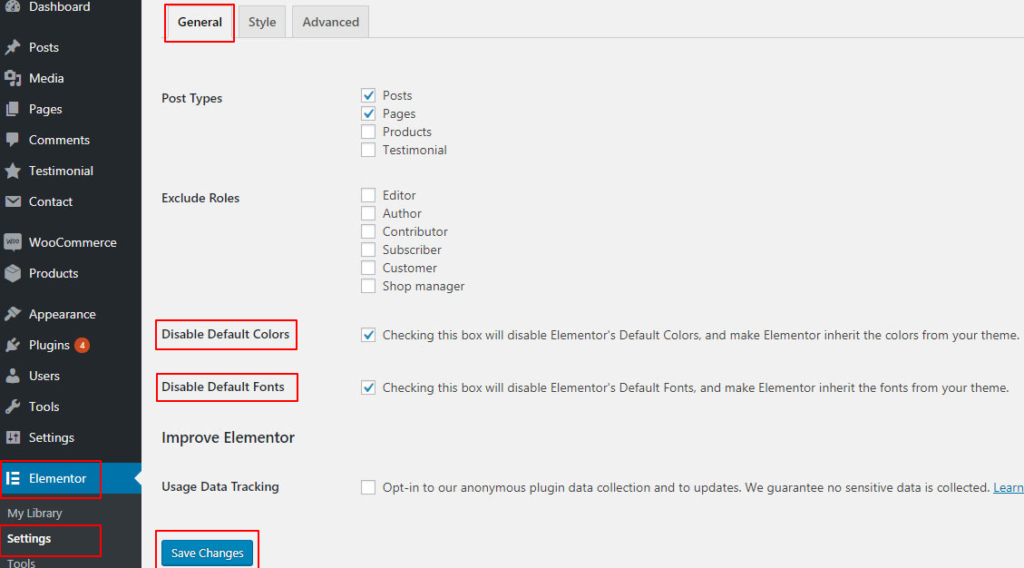
Disable Elementor Default Settings
These settings are already enabled by default in the theme.
However, it is recommended to check them if you experience any issues with theme colors being overridden.
Go to Elementor → Settings in the WordPress admin panel.
Open the General tab.
Locate the options Disable Default Colors and Disable Default Fonts.
Check (tick) both options.
Click Save Changes.