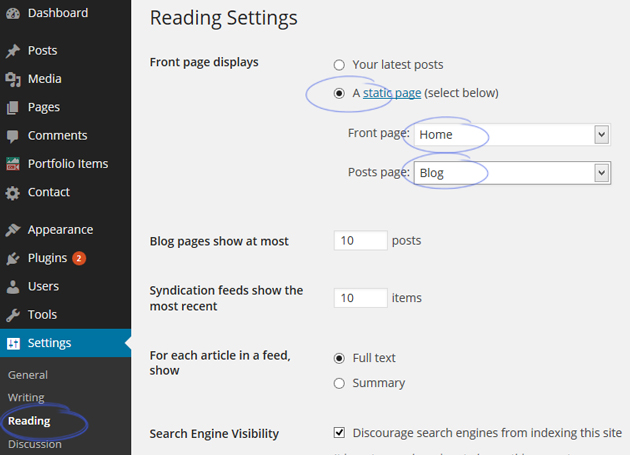
How to Set Home and Blog Page
These settings are automatically configured when you import the demo data.
You only need to change them if you want to use a different page as the homepage.
Steps
- Go to Settings → Reading.
- Under Front page displays, select Static Page.
- Select:
- Home as the Front Page
- Blog as the Posts Page
Note
If you do not see these options under Reading Settings, try deactivating third-party plugins (except the recommended plugins).
This feature is part of the default WordPress functionality, but some plugins may modify or override these settings.