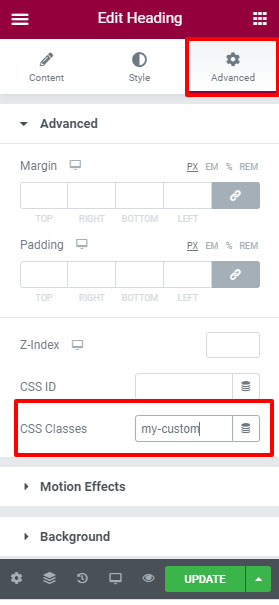
How to Assign an ID or Class to an Element in Elementor
- Select the element to which you want to assign an ID or class.
- Go to the Advanced tab in the Elementor panel.
- In the Advanced section, locate the CSS ID or CSS Classes field.
- Enter the desired ID or class name.
Note:
- For CSS ID, enter only the ID name without the
#symbol. - For CSS Classes, enter only the class name without the
.symbol.
After adding the ID or class, click Update to save the changes.