
Quezal – Revolution Slider
Sliders shown in the demo can be edited with your text and images.
Just replace images and texts in the provided demo slider and save.
- How to start slider editing?
- How to select slide to edit?
- How to edit background image to any slide?
- How to edit half transparent colored background to slide?
- How to edit images in the slide?
- How to edit text in slide?
- How to edit rotating texts in the slide?
- How to set navigation thumb for particular slide?
- How to change slider navigation type?
How to start slider editing?
Click : Open in Editor – Icon
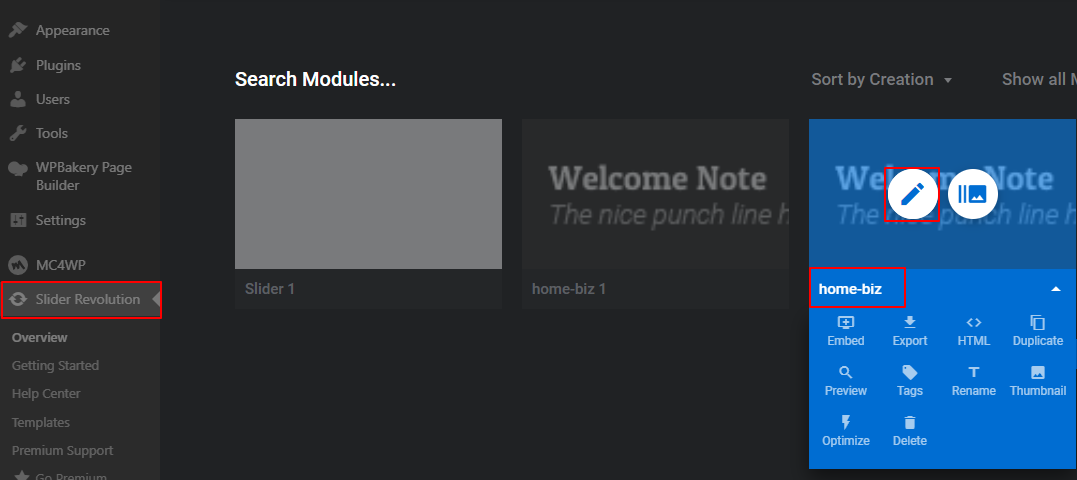
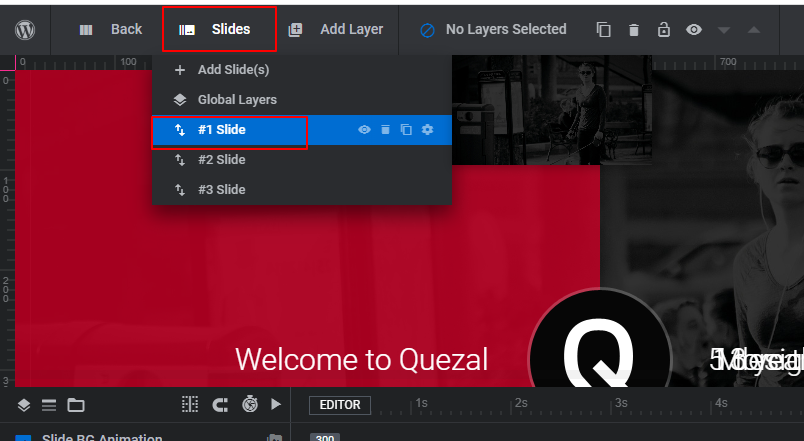
How to select slide to edit?
Click : Slide which needs to be edited – under – Slides
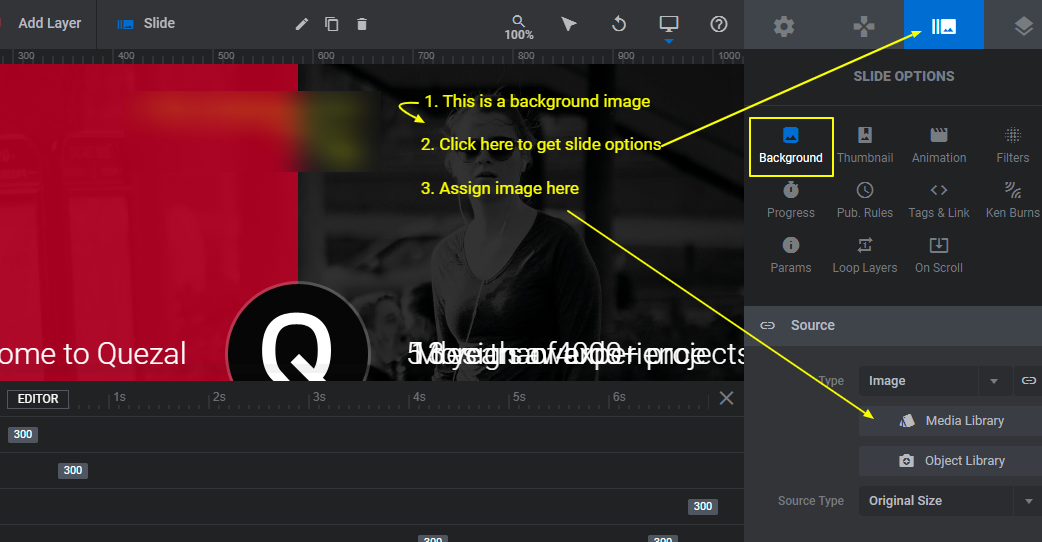
How to edit background image to any slide?
- Click : Slide options > Background.
- Assign your image in section – Source
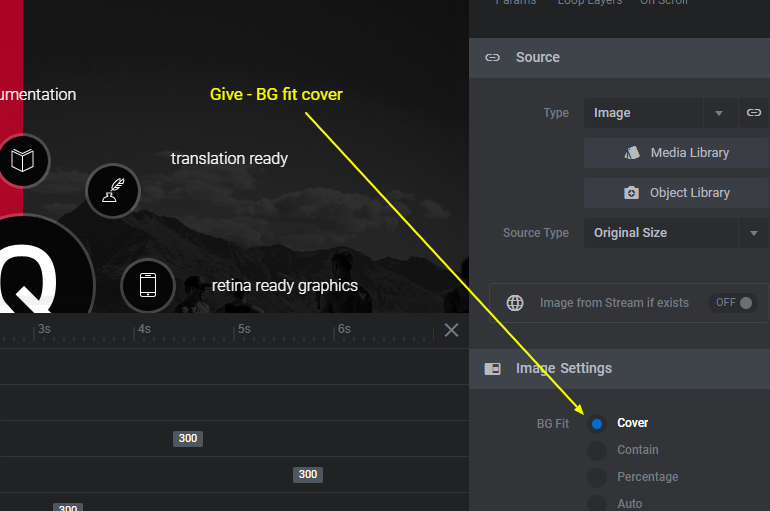
- Set BG fit – cover in section – Image Settings. This is just below the Source section.
How to edit half transparent colored background to slide?
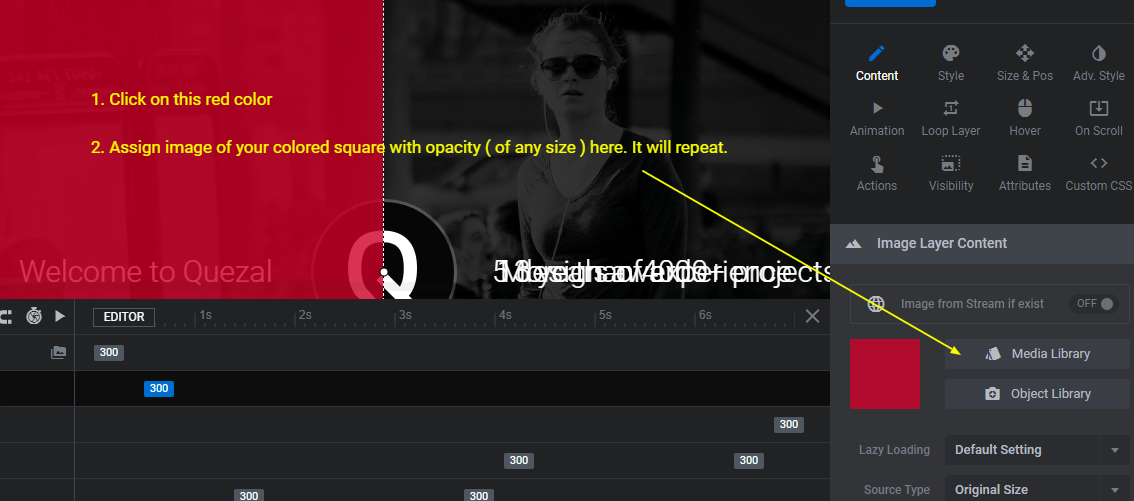
- Click : That red color half.
- Assign your image. Any size square with your color and desired opacity can be assigned. It will repeat.
How to edit images in the slide?
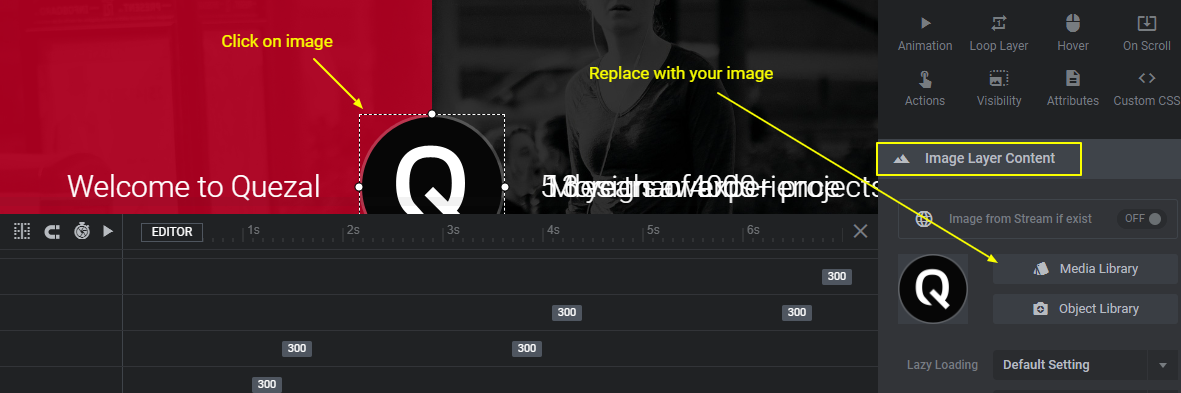
- Click : Image which needs to be replaced.
- Replace with your image in the – Image Layer Content (right bottom side).
- Click on – Media Library to assign your image
How to edit text in slide?
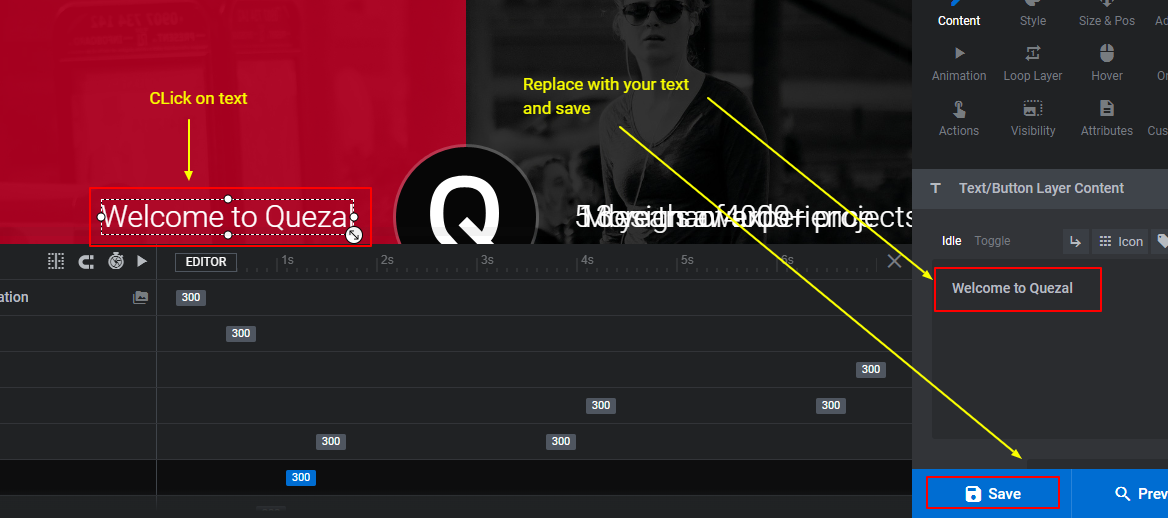
- Click : Text which needs to be edited.
- Replace with your text in the textarea provided (right bottom side).
How to edit rotating texts in the slide?
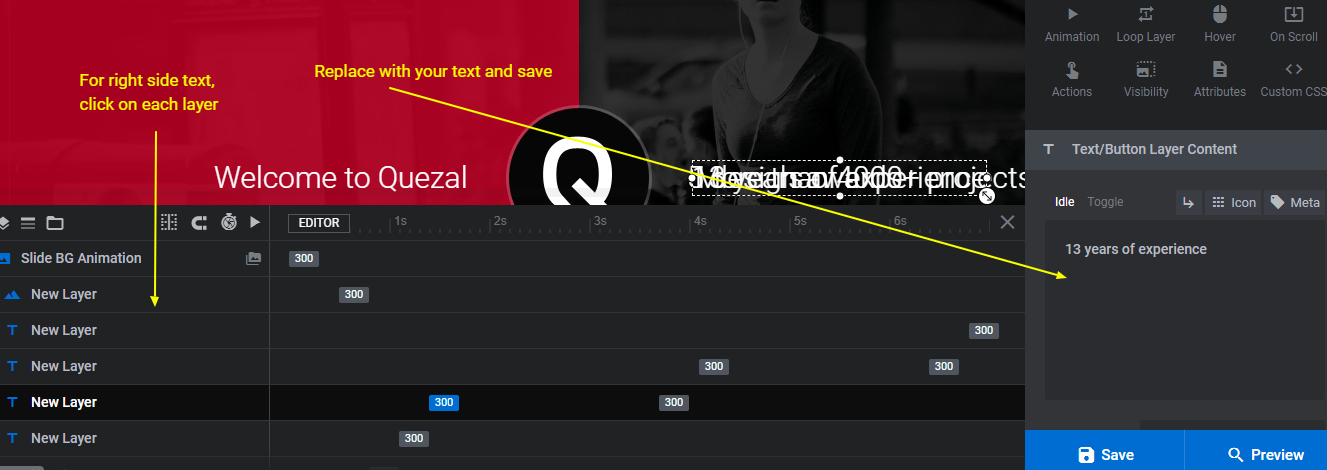
- Click : Layer of the respective text
- Replace with your text in the textarea provided (right bottom side).
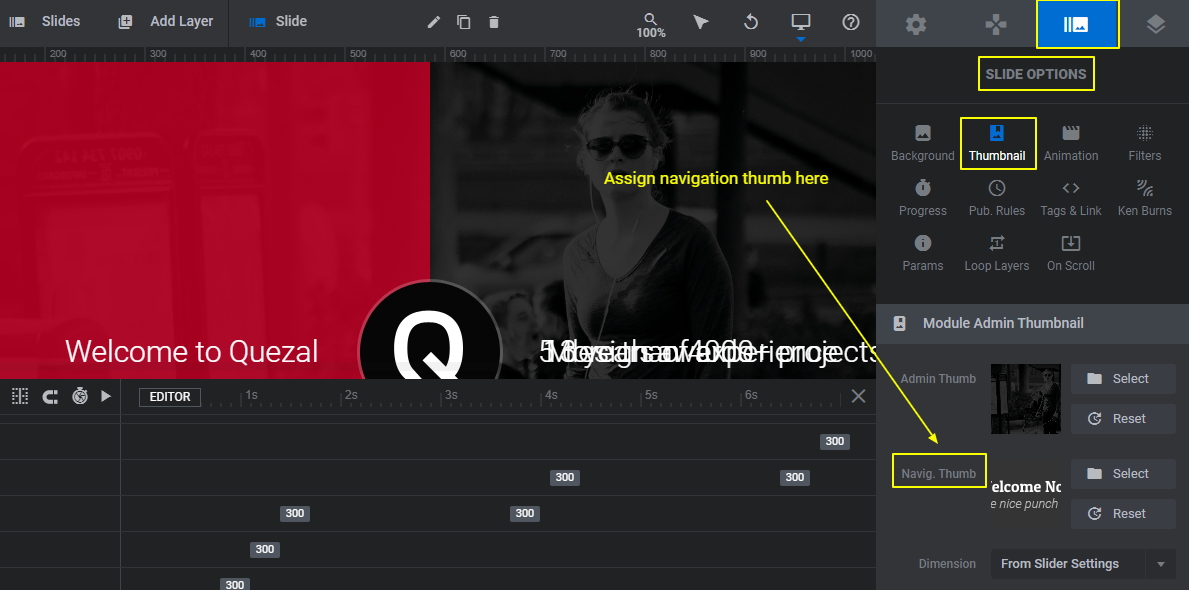
How to set navigation thumb for particular slide?
Go To: Slide Options / Thumbnail / Navigation Thumb.
Select the image which needs to be used as thumb.
Same way it can be set for each slide.
How to change slider navigation type?
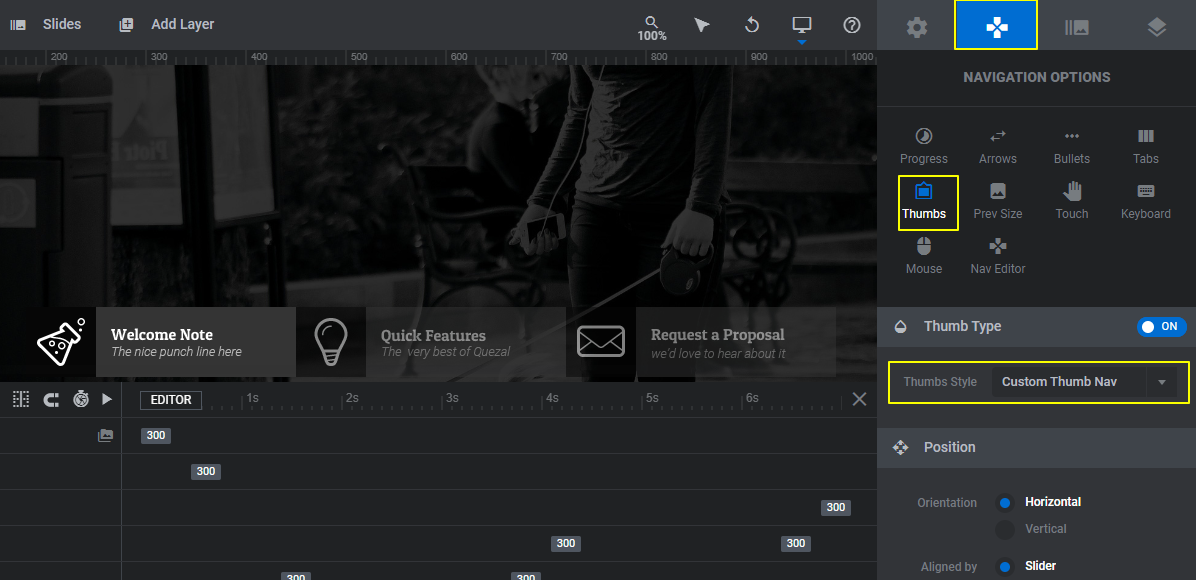
Can be done in slider’s : Navigation Options.
For demo slider, it is set to – Thumbs and thumb style to – Custom Thumb Nav
In the similar way, any text / image, in any slide can be edited.
! Always keep backup (Export) of your slider. Can be imported if any unforeseen condition :).
Slider FAQ
Need to create your own slider? Here is a plugin’s help manual :
Documentation by Slider Author